
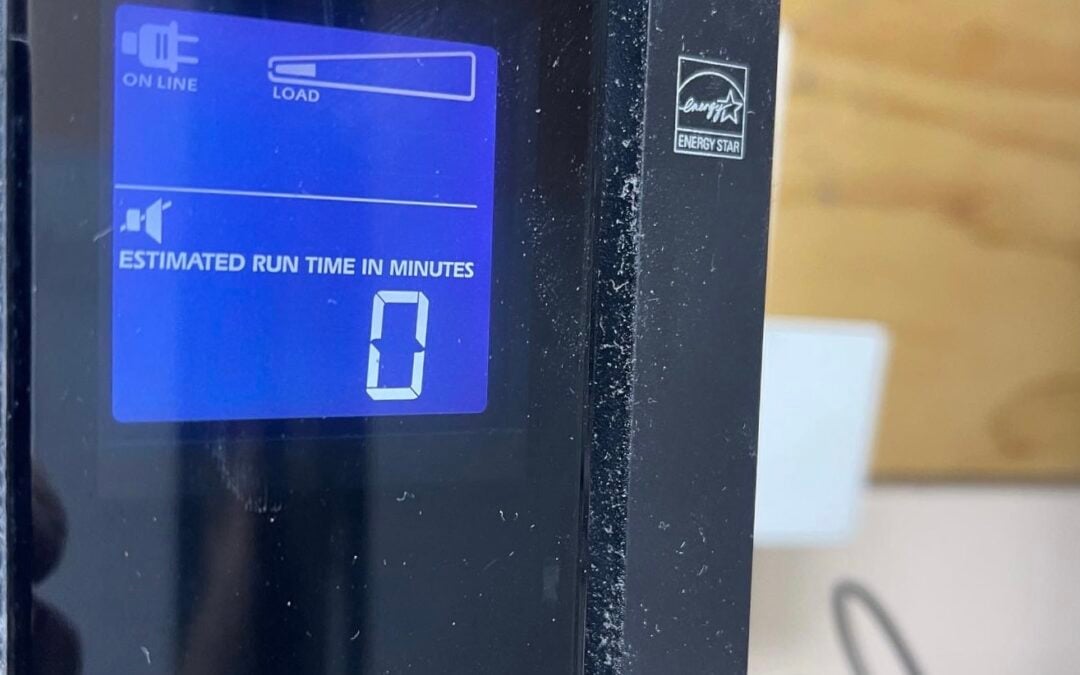
Having a UPS (Uninterruptible Power Supply) in place is best practice for valuable equipment such as computers, routers, switches, printers, servers and telephones/VoIP phones.
However it’s just as important to maintain your equipment.
We were called out this evening after the power went out at a local restaurant. The battery supplying power to the equipment in the event of a power failure was defective. This caused a whole lot of trouble that could have easily been avoided!
In fact, over time you may notice that the battery indicator light on your UPS is starting to turn red or yellow more frequently. This doesn’t mean you need a new UPS! The following tips will help extend the life of your equipment and hopefully skip an unnecessary replacement cycle.
To ensure uninterrupted power supply to mission-critical equipment, regularly check the following:
– Batteries (replace as recommended by manufacturer)
– Battery connections (tighten as required)
– On-battery status LEDs (clean with soft cloth and reinsert batteries) Check to ensure power switch is in “On” position. Ensure unit is plugged into a power source.
– AC receptacle for loose connections (tighten as required) Make sure the power cord is firmly inserted into the UPS and power source.
– Battery backup LEDs (clean with soft cloth or cotton swab dipped in alcohol if not functioning) These should be GREEN when unit has battery backup and RED when battery is low. These lights will help determine when your batteries need to be replaced and/or indicate if there is a problem with the UPS.
– Periodically check the load on the UPS by pressing the load meter button or equivalent on your UPS, you’ll get one of three responses: “Good” for 0% – 100% load. “Overload” for 100% – 150% load. And “Battery Mode” for greater than 150% load. This would indicate that the UPS is underpowered or overloaded. If you get “overload”, check to ensure that your equipment is properly connected and operating at the rated capacity of your UPS.
– Check all cables to ensure they are firmly connected/plugged into the UPS and equipment.
– Ensure proper ventilation around your equipment. If you have had your equipment for some time, it may be getting too hot due to a build up of dust. This will cause poor performance or even damage to your device. While you are checking on your devices, give them all a good dusting.
– Finally, if you do need to replace your batteries, ensure that you dispose of them in accordance with environmental regulations (check your local municipality).
If you need help with this, or anything else – give us a call, we’d be more than happy to help!
📞(385) 492-6676
📧info@1rateservices.com
🌐www.1rateservices.com